

Sandbox on-ramp widget
You can test our on-ramp widget below:Initialize the MoonPay widget
Initialize the MoonPay widget using your test API key with our SDK or with a simple URL:Widget embed URL
Create a sandbox test account
Know Your Customer (KYC) information entered will not be verified and when asked for documents you can skip by clicking on the “Skip document submission” button. Add a US or UK address for sandbox accounts, since these work best with our test credit cards.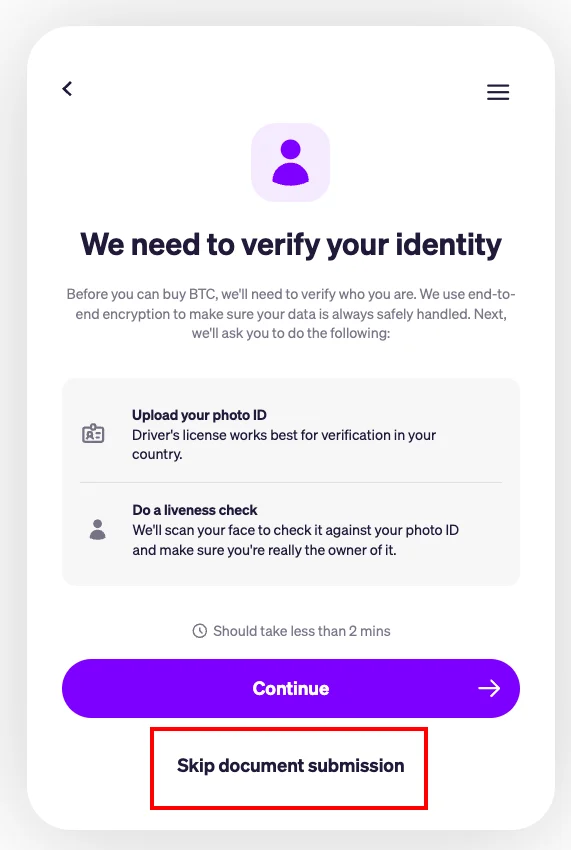
Sandbox token and testnet support
Our sandbox environment supports the following tokens and testnets:Add a payment method
At the payment screen choose the debit/credit card option and enter one of the following test card numbers. Do not enter authentic payment card information, as this will result in a failed transaction.Test card for declined transactions
Test card for off-ramp payouts
Returning testnet tokens
After testing, return testnet coins to us at the wallet addresses below.Sandbox failure reasons
Transaction processing failedmay happen when the testnet wallet is empty or you used the wrong card. Reach out to your MoonPay representative.Your Region is Not Supportedmeans MoonPay may not support your country or the cryptocurrency is unsupported in your region. New York, USA is not supported in sandbox but is supported in production.You've made too many actionsorYou can't perform this actionmeans you have been rate limited. This happens when we detect unusual behavior and is not uncommon for partners to experience this while testing. Wait ~20 minutes before trying again.Account is restricted or blockedmay happen if you are using a production MoonPay user account in sandbox or entered otherwise triggered one of our automated flags for suspicious behavior.
Empty testnet wallet
An empty testnet wallet will result in aTransaction processing failed error when you and other developers try to complete transactions. You may top up the wallet with your own testnet coins or use any available online faucet to top up Sepolia ETH.