> ## Documentation Index
> Fetch the complete documentation index at: https://dev.moonpay.com/llms.txt
> Use this file to discover all available pages before exploring further.
# Core concepts
> Key terms and concepts for integrating with the MoonPay Platform
## Connections
An active **connection** represents a customer's permission to associate the MoonPay account to your application so you can:
* List and manage payment methods in your UI
* Get quotes that include detailed fees and customer limits
* Execute payments (for example, Apple Pay or debit cards) without redirecting the customer
* View and track transaction history
Read the [hosted onboarding guide](/platform/guides/connect-a-customer) for
implementation details.
## Frames
The integration uses a combination of API calls and frames. For steps that have compliance or regulatory requirements, you render an embedded frame (a WebView in mobile apps and an iframe on the web). This keeps sensitive data out of your application while MoonPay manages compliance.
There are two types of frames: **co-branded** and **headless**. Both communicate with your app using `postMessage` (on web and mobile). Each frame has its own lifecycle events and message patterns, documented in the [frames overview](/platform/frames/overview). You can manage frames yourself, or use the SDK for drop-in frame setup and event handling.
### Co-branded frames
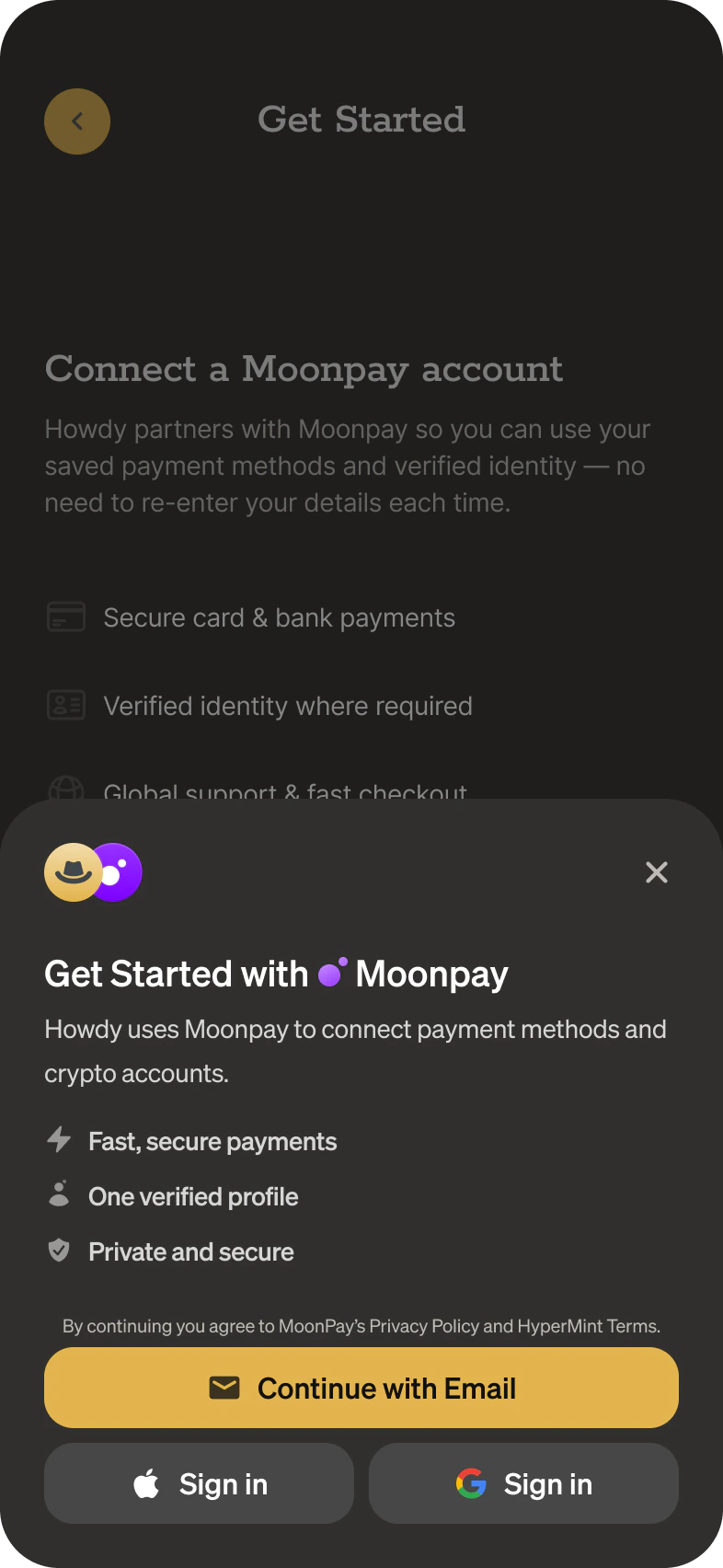
Co-branded frames render MoonPay-hosted UI that you can theme to match your application. They are designed for contextual rendering in modals or sheets. A typical example is the MoonPay login flow used when a customer connects their account.
 ### Headless frames
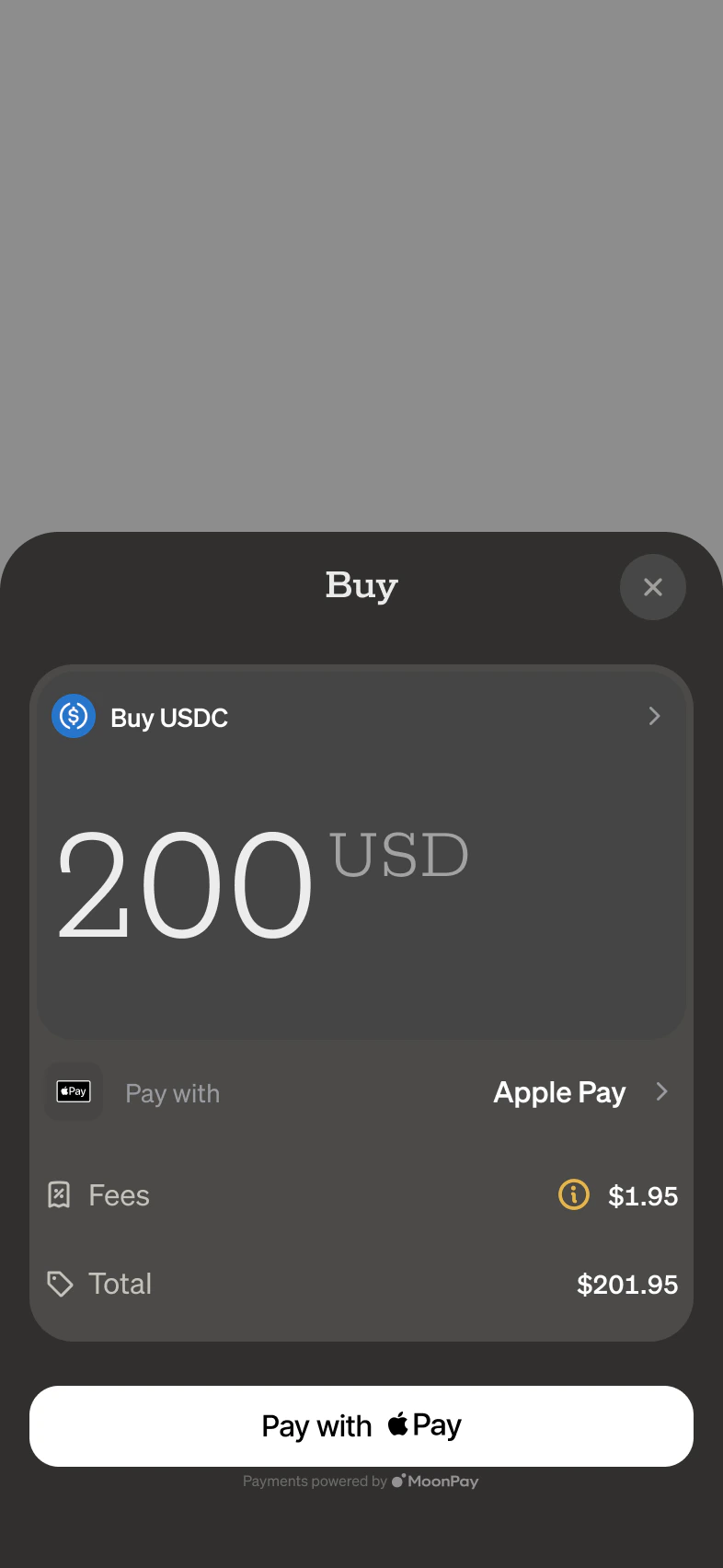
Headless frames are either invisible or display minimal, non-customizable elements such as an Apple Pay button. You can inline these frames wherever needed in your UI.
### Headless frames
Headless frames are either invisible or display minimal, non-customizable elements such as an Apple Pay button. You can inline these frames wherever needed in your UI.
 ## Challenges
Challenges complete specific tasks that require upgraded authentication, identity verification, or connection updates. Common cases include:
* Authentication upgrades (required for sensitive or destructive actions)
* Identity verification (Know Your Customer, KYC)
* Strong Customer Authentication (SCA), such as [3D Secure](https://www.checkout.com/products/authentication-3ds), where the customer’s bank requires additional verification
Frames and the Customer API surface challenges. The [Apple Pay](/platform/frames/apple-pay), [Google Pay](/platform/frames/google-pay), and [buy](/platform/frames/buy) frames emit a `challenge` event with a URL to load into the dedicated [Challenge frame](/platform/frames/challenge). The [Customer API](/platform/guides/customer-api) returns a `kyc.challenge` URL when verification needs a hosted step. See [Handle challenges](/platform/guides/handling-challenges) for the full flow.
## Customer
A customer is a person using your app who can have a connected MoonPay account.
### Verification (KYC)
MoonPay performs Know Your Customer (KYC) checks to meet financial compliance requirements and help prevent fraud and money laundering. MoonPay always decides what verification a customer needs. You choose who renders the UI that captures it.
A customer's KYC standing moves through a lifecycle: `not_created`, then `collecting` while requirements are outstanding, then `verifying` while MoonPay processes the submitted data, and finally `active` (or `unavailable` when verification cannot proceed). The API exposes this as `kyc.status`, with the outstanding items listed in `kyc.requirements`. See the [Customer API guide](/platform/guides/customer-api) for the full status table.
You have three ways to run verification. By default, the co-branded [connect flow](/platform/guides/connect-a-customer) captures and verifies everything in MoonPay-hosted UI. Alternatively, you capture KYC data in your own UI and submit it with the [Customer API](/platform/guides/customer-api). [Guest checkout](/platform/guides/guest-checkout) defers verification until a purchase requires it. When MoonPay can't verify a customer from submitted data alone, it falls back to a hosted challenge (see [Handle challenges](/platform/guides/handling-challenges)). To pick the path that fits your app, see [Choose an onboarding path](/platform/guides/onboarding-paths).
## Challenges
Challenges complete specific tasks that require upgraded authentication, identity verification, or connection updates. Common cases include:
* Authentication upgrades (required for sensitive or destructive actions)
* Identity verification (Know Your Customer, KYC)
* Strong Customer Authentication (SCA), such as [3D Secure](https://www.checkout.com/products/authentication-3ds), where the customer’s bank requires additional verification
Frames and the Customer API surface challenges. The [Apple Pay](/platform/frames/apple-pay), [Google Pay](/platform/frames/google-pay), and [buy](/platform/frames/buy) frames emit a `challenge` event with a URL to load into the dedicated [Challenge frame](/platform/frames/challenge). The [Customer API](/platform/guides/customer-api) returns a `kyc.challenge` URL when verification needs a hosted step. See [Handle challenges](/platform/guides/handling-challenges) for the full flow.
## Customer
A customer is a person using your app who can have a connected MoonPay account.
### Verification (KYC)
MoonPay performs Know Your Customer (KYC) checks to meet financial compliance requirements and help prevent fraud and money laundering. MoonPay always decides what verification a customer needs. You choose who renders the UI that captures it.
A customer's KYC standing moves through a lifecycle: `not_created`, then `collecting` while requirements are outstanding, then `verifying` while MoonPay processes the submitted data, and finally `active` (or `unavailable` when verification cannot proceed). The API exposes this as `kyc.status`, with the outstanding items listed in `kyc.requirements`. See the [Customer API guide](/platform/guides/customer-api) for the full status table.
You have three ways to run verification. By default, the co-branded [connect flow](/platform/guides/connect-a-customer) captures and verifies everything in MoonPay-hosted UI. Alternatively, you capture KYC data in your own UI and submit it with the [Customer API](/platform/guides/customer-api). [Guest checkout](/platform/guides/guest-checkout) defers verification until a purchase requires it. When MoonPay can't verify a customer from submitted data alone, it falls back to a hosted challenge (see [Handle challenges](/platform/guides/handling-challenges)). To pick the path that fits your app, see [Choose an onboarding path](/platform/guides/onboarding-paths).
KYC sharing
You can export MoonPay-verified KYC data to other services in your app, like
setting up a debit card. See
[Export customer data](/platform/guides/export-customer-data).
The inbound direction is coming soon: reusing KYC data you already capture
with a provider like SumSub or Persona to simplify MoonPay onboarding.
## Quotes
Quotes provide real-time prices and fees for fiat-to-crypto purchases.
Every quote response carries an `executable` boolean:
* `executable: true` — the quote can be used to execute a transaction.
* `executable: false` — use the quote for cost estimation only.
When you quote by `source.amount`, the optional `feeBehavior` field controls how fees relate to that amount:
* `inclusive` (default): the customer pays exactly `source.amount`, and fees are carved out of it.
* `exclusive`: fees are added on top of `source.amount`, so the customer pays `source.amount` plus fees and the full amount is converted to crypto.
Quotes by `destination.amount` are always fees-inclusive. The response echoes the effective `feeBehavior`.
See the [quotes API reference](/api-reference/platform/endpoints/quotes/get)
for the request fields required to receive `executable: true`.