

Welcome to the MoonPay Platform
Use the MoonPay Platform APIs, SDKs, and frames to build crypto ramps directly in your app. Before you start, review the requirements and core concepts.Getting started
Choose an onboarding path
Compare hosted onboarding, onboarding via API, and guest checkout, and pick
the path that fits your app.
Hosted onboarding
The hosted path: MoonPay’s co-branded connect frame handles login and the
full KYC flow.
Onboarding via API
The API-driven path: capture KYC data in your own screens and submit it with
the Customer API.
Guest checkout
The deferred path: new customers buy instantly, with verification stepped up
at purchase time.
Frames
Embed headless and co-branded UI in your app.
API reference
Explore the Platform API endpoints and parameters.
Quickstart
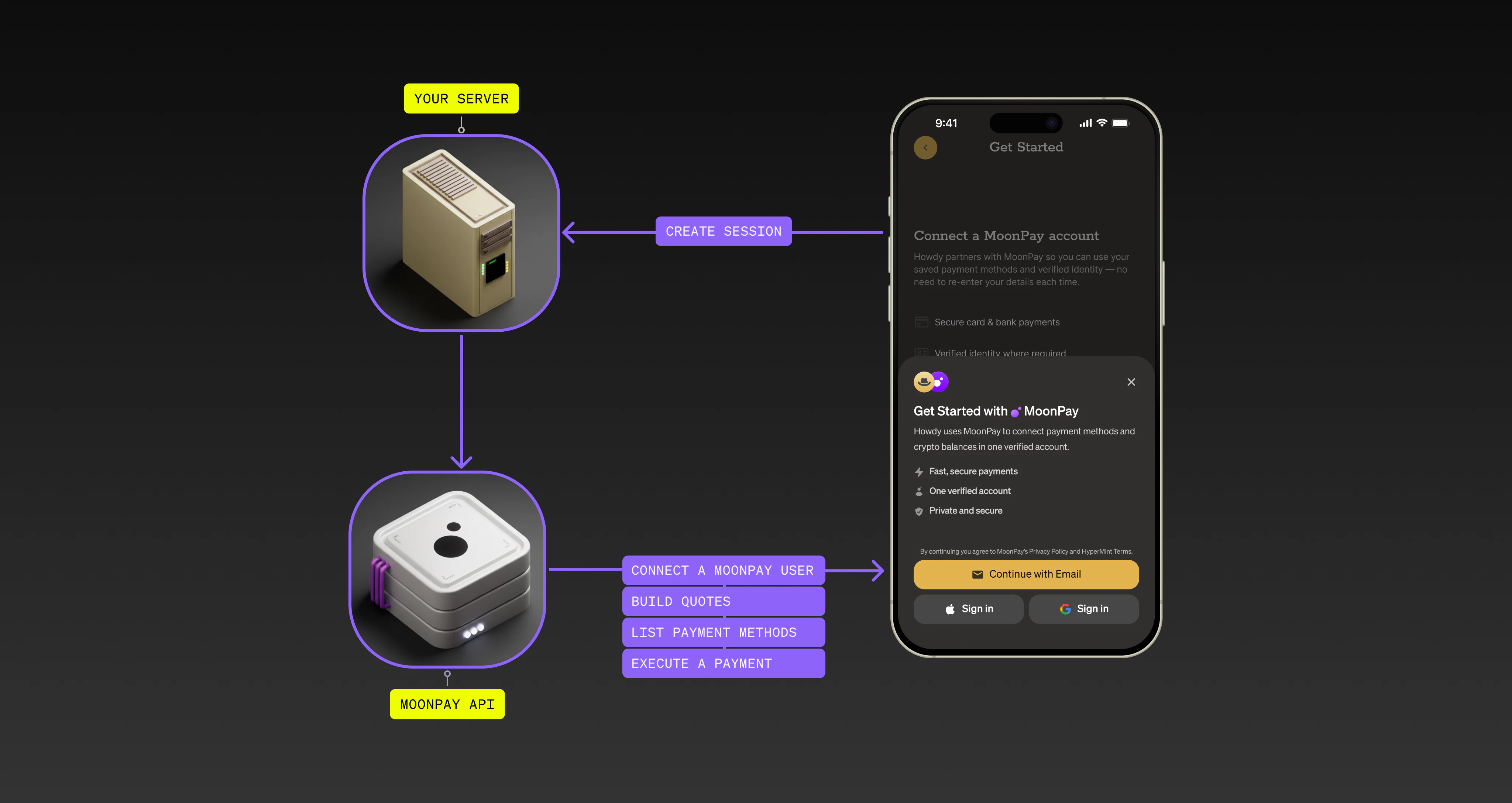
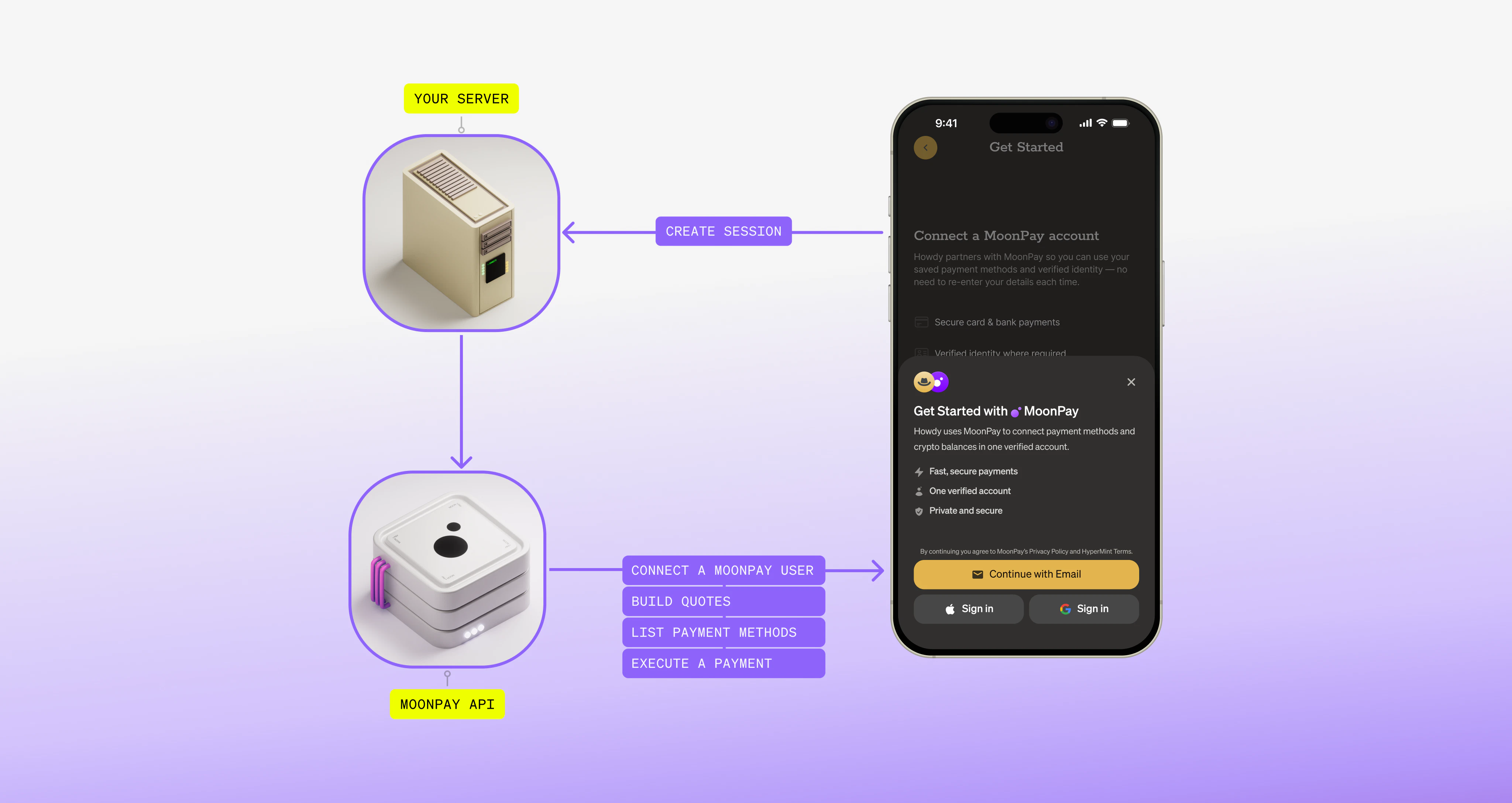
The quickstart below shows the fastest path, hosted onboarding with Apple Pay. For the alternatives, see Choose an onboarding path.1
Get a session token
Create a session token on your server and send the token to your frontend.
2
Connect a customer
On your frontend, check whether the customer has an active connection. If they do, you receive credentials for the next steps.
3
List payment methods
List the payment methods available to the customer at the current time.
List payment methods
4
Get quotes
Get quotes with detailed fees and limits for transactions.
Get quotes
5
Execute headless payments
Once you have a quote, execute the transaction.
Pay with Apple Pay